Recently, I watched a great tutorial by Adil Alimzhanov called “3-Step Workflow To Make Ultra-Realistic AI Ads.”
He was showing how to create AI videos with Higgsfield.
But something else caught my attention.
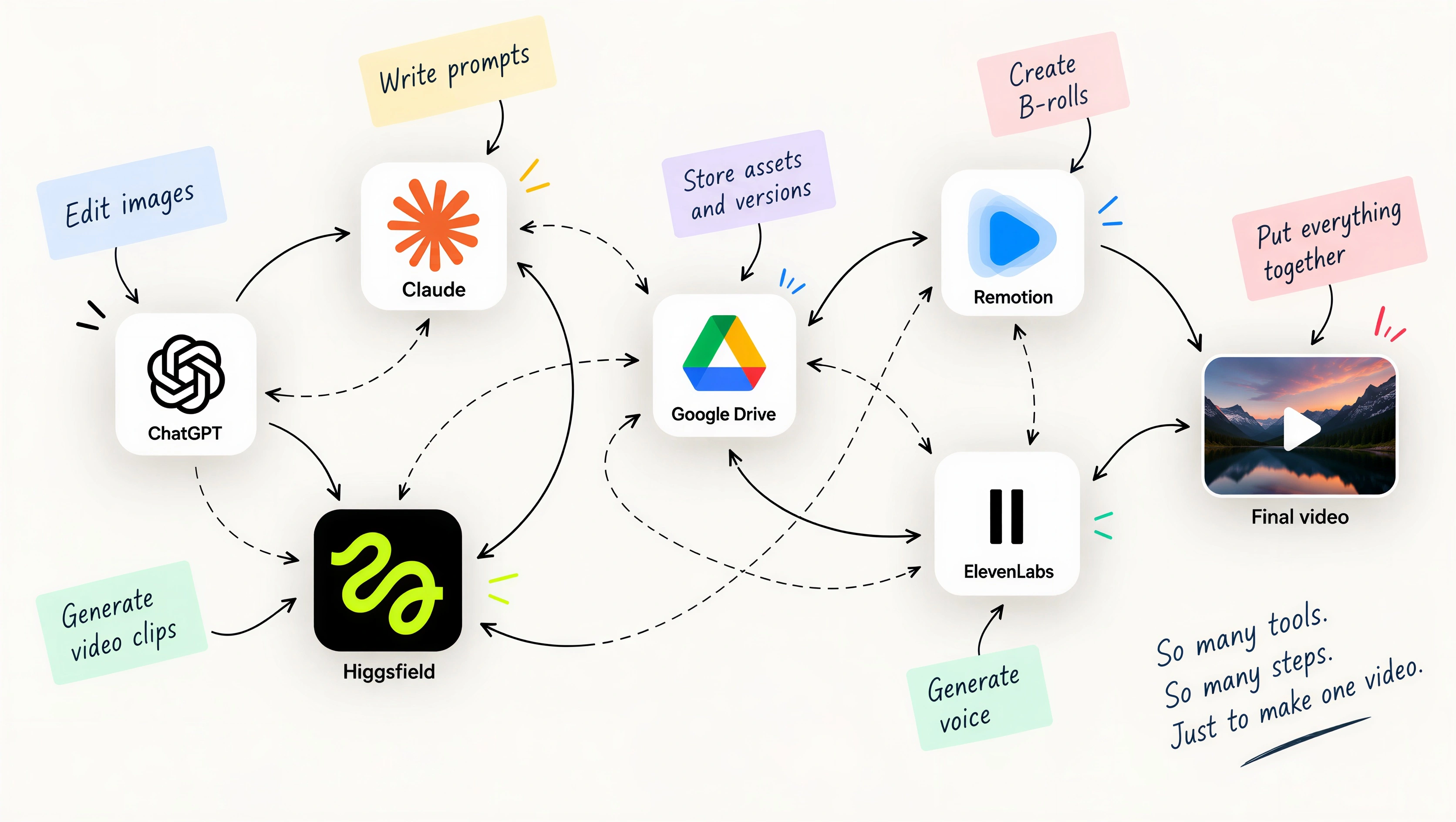
Even though Higgsfield is a specialized AI video platform, a lot of the actual work was happening outside it. Adil used Claude Code to prepare prompts, Higgsfield to generate video, other tools to work with images and enhance footage, and moved assets between them.
He was switching between tools again and again.
And there was nothing wrong with his approach. In fact, it was a good demonstration of how AI video production works today.
It made me think:
Why should the person making the video have to manage all these tools directly?
What if everything was in one place?
This became one of the main ideas behind my own AI video system.
I still use different models, services and workflows behind the scenes.
But from the user’s point of view, almost everything happens inside one Notion card.
The character, outfit, script, scene settings, generated assets, voice, music and final video all live there.
Before I explain how it works, here is the result:
Characters and outfits
The system has a library of characters and their outfits.
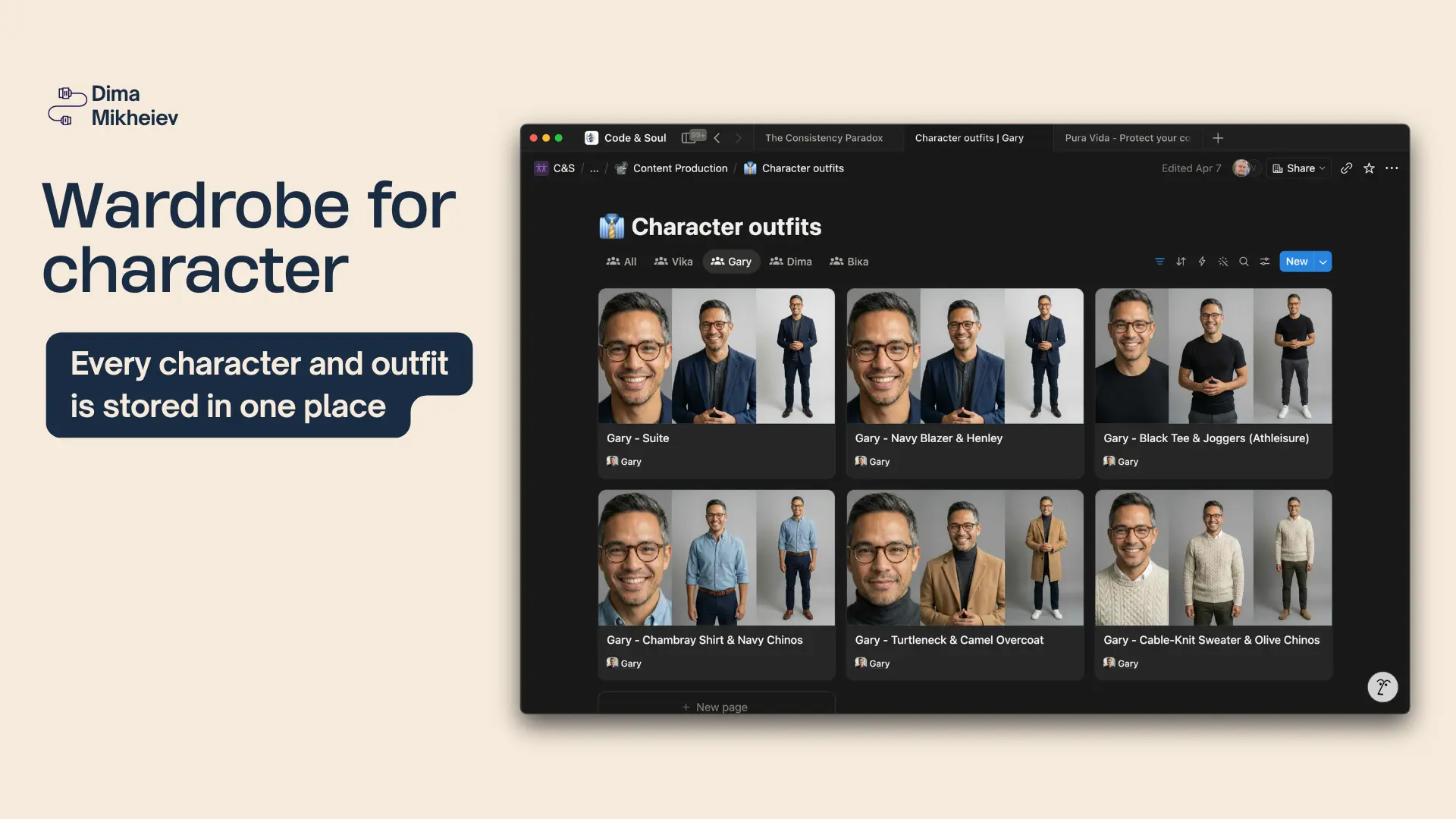
If I want to create a new video with Gary, one of the AI characters, I select Gary and choose his outfit.
I don’t need to find old reference images or upload the same files again. The system already knows what assets belong to him.
Multiple shots, one place
The system can generate and store multiple first frames for different scenes and camera angles.
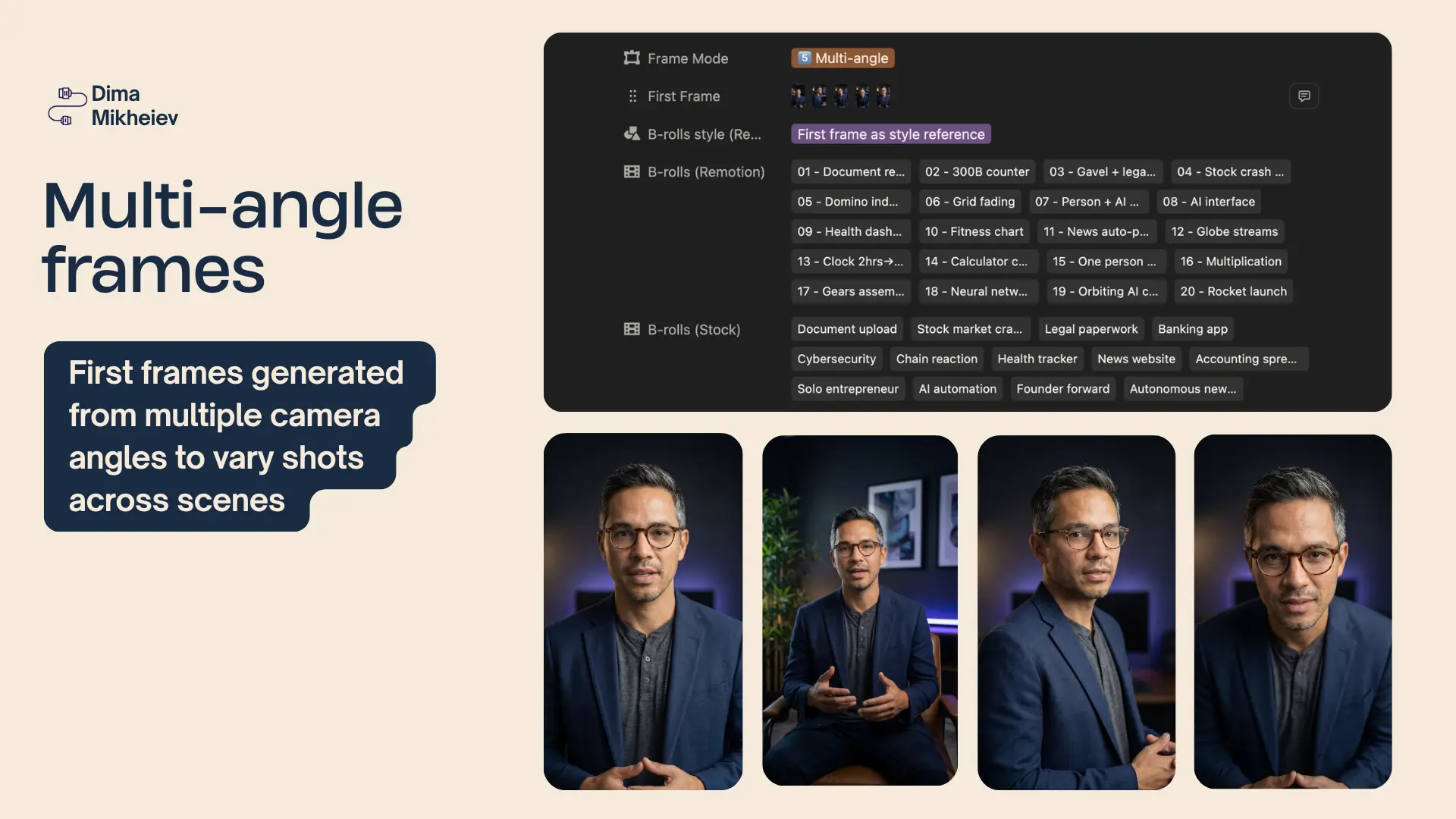
I can see all the shots together before generating the actual video.
If one doesn’t look right, I can change that shot without touching everything else.
B-roll without leaving the card
The AI agent can also prepare B-roll.
It can generate graphics using its Remotion skill or search public stock libraries for authentic video footage.
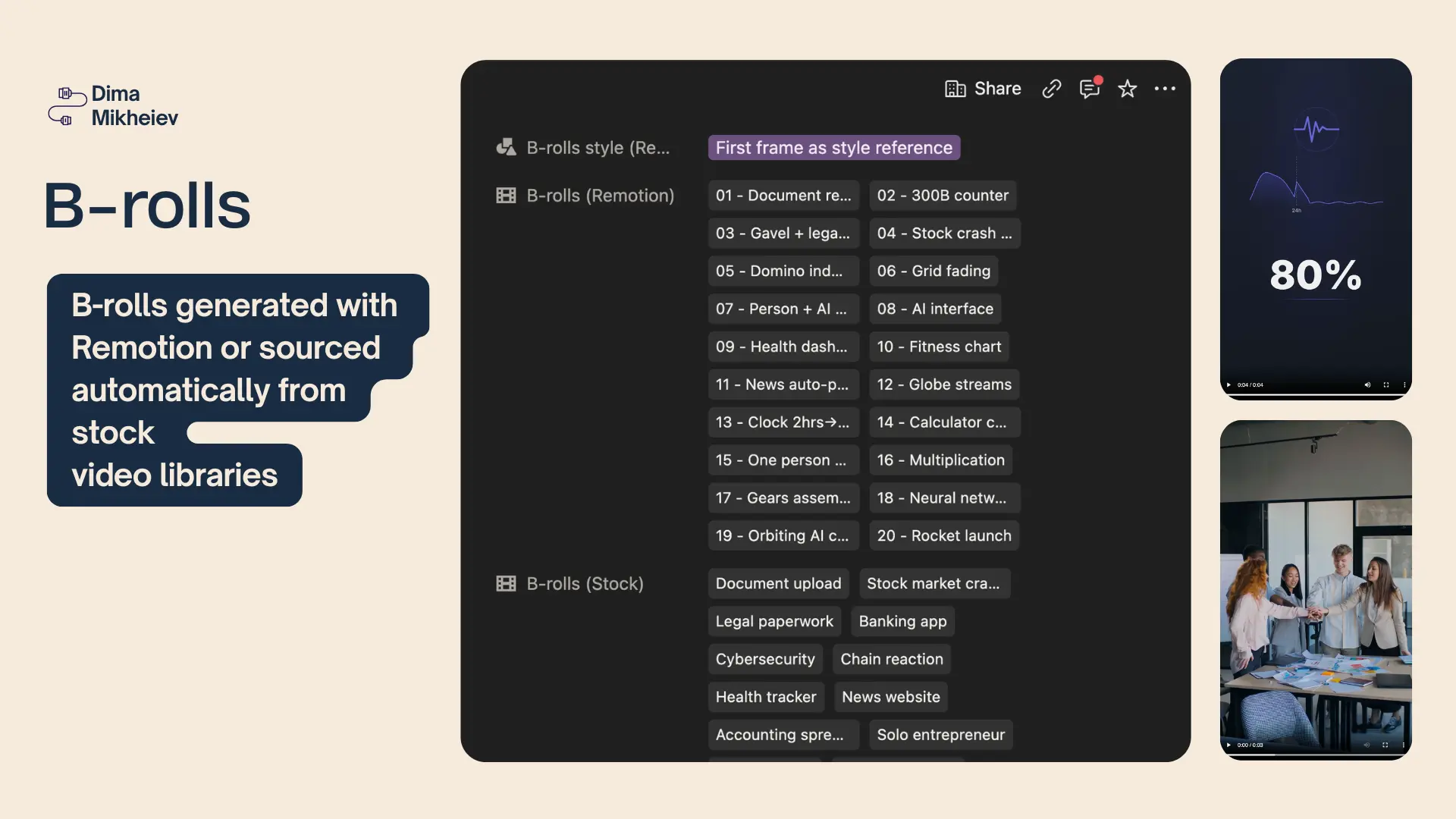
Whatever it finds or creates goes straight back into the same Notion card.
I don’t have to download files, move them around or remember where I saved them.
The complicated part happens behind the scenes
n8n handles the production workflow: splitting the script, generating clips, assembling them, creating a consistent voiceover, generating background music and producing the final video.
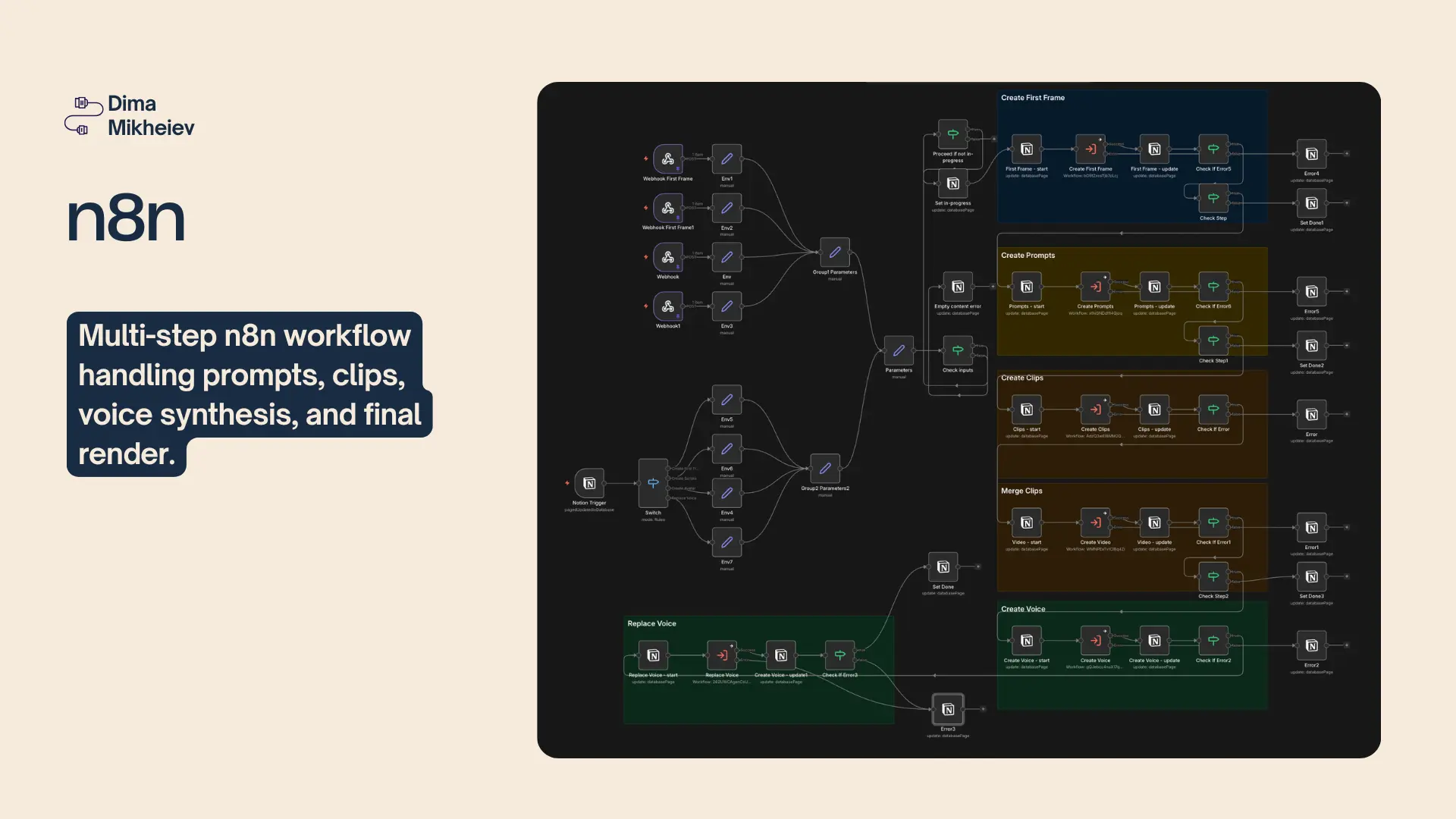
The workflow itself is complicated.
Using it isn’t.
The generated clips, voiceover, background music and final video are all saved back into the same Notion card.
One interface doesn’t mean one tool
This was my main takeaway.
I don’t think having many specialized AI tools is the problem.
The problem is making the user operate all of them.
Instead, the tools can stay behind the scenes. The agent and automation can decide how to use them, while the user stays in one familiar place.
For this system, that place is Notion.
For another system, it could be Slack, Monday, a CRM or a custom dashboard.
The user shouldn’t have to follow the tools. The tools should come to the user.
Here is how I use the system
Here is a quick walkthrough of the full process inside the Notion workspace:
There are many tools working behind the scenes.
But I don’t have to jump between them to make the video.
I’m Dima - AI Solutions Architect. I help teams remove repetitive work with AI and turn complex processes into one working system. You can see more of my work at mikheiev.com